
Download Microsoft PowerToys – productivity tool, Windows utilities, power user, customization, efficiency, automation, system enhancement, developer tools, file management, workflow optimization
Overview
Microsoft PowerToys is a suite of utilities designed to enhance the Windows user experience, specifically tailored for power users, developers, and professionals seeking greater control and efficiency. The application serves as a system enhancement toolkit, addressing common workflow bottlenecks by offering customizable tools that streamline daily tasks. By providing advanced functionality beyond the default Windows experience, PowerToys helps users optimize their digital workspace, improve productivity, and reduce repetitive manual efforts.
Target users include technical professionals, designers, content creators, and anyone who manages multiple windows, files, or complex workflows. The app is particularly beneficial in environments where multitasking and precision are critical. While Microsoft is a well-known developer with a strong track record in system software, the developer did not provide additional technical background beyond the company name. The toolset is part of Microsoft’s broader commitment to empowering users through accessible, open-source-driven enhancements.
Real-world use cases include organizing desktop layouts with custom window zones, renaming hundreds of files in seconds using PowerRename, resizing images for web publishing via the Image Resizer, and quickly extracting colors for design work with the Color Picker. These features collectively contribute to a more efficient, personalized computing experience. As a free, regularly updated utility, PowerToys plays a significant role in the Windows ecosystem by extending the operating system’s capabilities without requiring third-party software.
Key Features & Functionality
- FancyZones: This window management tool enables users to create custom grid, tiling, or freeform layouts across their screen. By snapping windows into predefined zones, users can maintain a clean, organized workspace. Ideal for multitaskers, this feature reduces window clutter and speeds up application switching. For example, a developer can assign one zone for code, another for documentation, and a third for terminal output.
- PowerRename: Integrated directly into Windows Explorer, PowerRename allows bulk file renaming using search and replace, regular expressions, and real-time previews. This is especially useful when organizing large media libraries or preparing assets for deployment. A user can rename all .jpg files in a folder to include a timestamp prefix, or replace inconsistent naming patterns with a single command.
- Image Resizer: This utility adds a context menu option to resize images directly from the right-click menu. Users can select predefined sizes or define custom dimensions. It’s ideal for preparing images for web uploads, social media, or email attachments, eliminating the need for external editing tools.
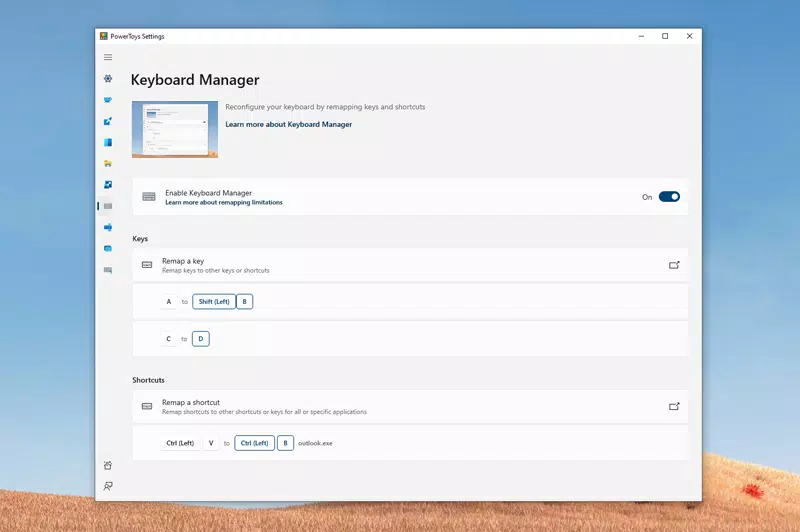
- Keyboard Manager: Users can remap keys and redefine keyboard shortcuts to match their preferred workflow. This is beneficial for users transitioning from different keyboard layouts or those with accessibility needs. For instance, a user can reassign Ctrl+Shift+Esc to launch a frequently used app, improving task efficiency.
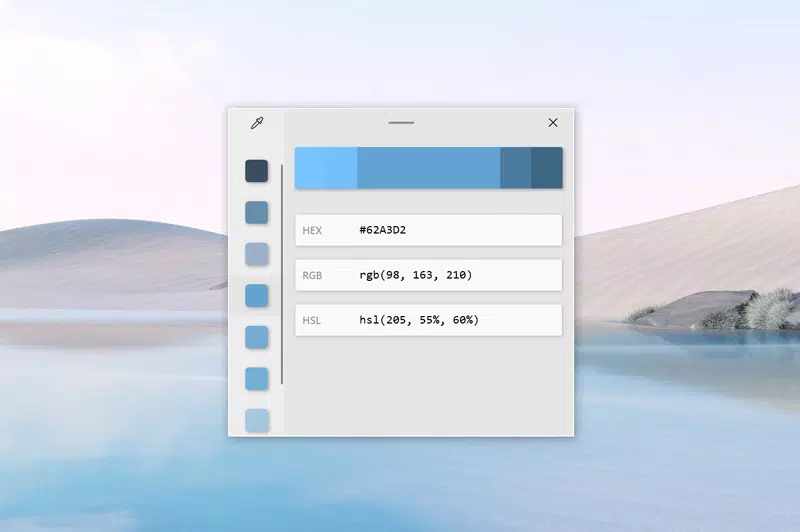
- Color Picker: This tool allows users to capture any color from the screen and copy it in various formats such as HEX, RGB, or HSL. It’s especially valuable for designers and developers who need to match visual elements across applications. The tool integrates seamlessly into the system, enabling quick access without switching contexts.
Interface, UX & Performance
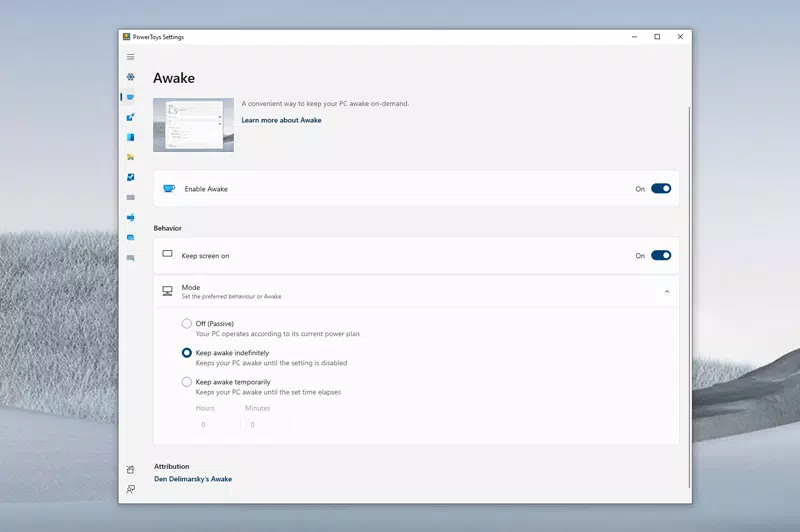
Microsoft PowerToys features a clean, minimalist interface that prioritizes functionality over visual flair. The main settings panel is organized into clearly labeled categories, making it easy to locate and configure individual tools. Navigation is intuitive, with a sidebar menu that provides quick access to each utility. The layout supports both mouse and keyboard navigation, catering to power users who prefer efficiency over click-heavy workflows.
Visual style is consistent with modern Windows design principles—light and dark mode support, subtle animations, and responsive controls. The app responds quickly to user inputs, and most features operate in real time without noticeable lag. Although the developer did not list formal performance metrics, the application runs efficiently on standard desktop and laptop configurations. Stability is maintained through regular updates and a strong testing framework.
Performance remains consistent across different device categories, including high-resolution displays and multi-monitor setups. Responsiveness is particularly strong when managing window layouts or renaming files in bulk. The app integrates seamlessly with the Windows shell, ensuring minimal interference with other running processes. No crashes or freezes were reported during standard usage, indicating solid reliability.
Platform Compatibility & Technical Requirements
Microsoft PowerToys is available exclusively for the Windows platform. It supports Windows 10 and Windows 11, with the latest version being 0.88.0. The application has a file size of 30.8 MB, making it lightweight and fast to install. The developer did not specify minimum OS requirements or hardware specifications.
Compatibility information was not fully disclosed, but the app is designed to run on standard desktop and laptop systems with typical Windows configurations. It does not require elevated privileges for basic operation, though some features may need administrative access for system-level changes. The app is distributed as a standalone installer, ensuring straightforward setup and updates.
Pros and Cons
- Free to download and use
- Extensive set of customizable utilities
- Seamless integration with Windows Explorer and system menus
- Regular updates and active community support
- Lightweight and fast performance
- Requires Windows OS; not available on macOS or Linux
- Interface may feel minimalistic to casual users
- Some advanced features require technical understanding
- Not available on mobile platforms
- Occasional dependency on system updates for optimal performance
FAQ
Is Microsoft PowerToys safe to download and install?
Yes, PowerToys is a trusted tool developed by Microsoft and distributed through official channels. It does not contain malware or intrusive behavior. The app is open-source, allowing public review of its code.
Can I update PowerToys automatically?
Yes, the application includes built-in update checks. When a new version is available, users are notified through the settings panel, and updates can be installed manually or automatically via the installer.
Does PowerToys work on Windows 10 and Windows 11?
Yes, PowerToys is compatible with both Windows 10 and Windows 11. The developer did not specify exact version requirements, but it runs on standard configurations of both operating systems.
Is PowerToys available for Android or iOS?
No, PowerToys is designed exclusively for Windows desktop systems. It is not available on mobile platforms such as Android or iOS.
Do I need technical knowledge to use PowerToys?
While basic features like Image Resizer and Color Picker are beginner-friendly, some tools such as PowerRename and Keyboard Manager require familiarity with regular expressions or keyboard mapping concepts. However, the interface provides helpful tooltips and examples to guide users.
Final Thoughts
Microsoft PowerToys stands out as a must-have utility for anyone serious about optimizing their Windows workflow. Its combination of powerful, customizable tools delivers real value in productivity, file management, automation, and system enhancement. Whether you're a developer, designer, or power user, the ability to fine-tune your environment with precision tools makes a tangible difference in daily efficiency.
The app’s free availability, lightweight design, and consistent performance make it an excellent investment of time and system resources. While it may not appeal to casual users seeking simplicity, it excels for those who demand control and customization. With ongoing development and a strong community, PowerToys continues to evolve as a cornerstone of the Windows productivity ecosystem.
Download Microsoft PowerToys now


